The qwen3 technical report is useful if you want more than a model announcement. It gives you a framework for understanding the model family, its training approach, evaluation results, and intended capabilities. The practical question, however, is not whether a report sounds impressive. It is whether a particular Qwen3 model will run on your machine, produce reliable output for your task, and justify the maintenance work.
This guide treats the report as a starting point rather than independent proof. I will separate documented information from conclusions you should verify yourself, then turn the reading process into a deployment and evaluation workflow.
What the report can tell you
A technical report normally describes the model architecture, training data approach, post-training process, context handling, tool or reasoning behavior, and benchmark methodology. The qwen3 technical report should help you understand why different model sizes behave differently and why a model can perform well on a benchmark without being ideal for your application.
Pay close attention to model naming. A family can include smaller dense models, larger dense models, and mixture-of-experts variants. Those choices affect memory use, loading time, routing behavior, and inference performance. Parameter count alone does not tell you how much system RAM or GPU VRAM you need. Quantization format, context length, runtime overhead, and concurrent requests matter too.
The report can also explain how the authors define reasoning, instruction following, coding, mathematics, multilingual performance, and agent behavior. Those definitions are important because a benchmark score is only meaningful when its tasks resemble your workload. A coding score does not guarantee that the model will understand your repository, follow your formatting rules, or recover cleanly from a failed tool call.
Read claims with a reproducibility checklist
When reading the qwen3 technical report, record four details for every important result: the model variant, evaluation dataset, prompting method, and decoding settings. Also note whether tools, extended thinking, external retrieval, or special system instructions were used. Leaving out one of those details can make a result impossible to reproduce.
Create a small notes file with fields such as model name, quantization, context window, temperature, top-p setting, maximum output tokens, and runtime. If the report does not provide a detail, mark it as unverified instead of filling the gap with an assumption. This habit prevents a common mistake: comparing your local quantized run with a vendor result produced under a different configuration.
The qwen3 technical report is evidence about a controlled evaluation, not a promise about your application. Treat its strongest results as hypotheses to test. If your use case is extracting invoice fields, build a small invoice set. If you need repository answers, test real files with known answers. If you need JSON, measure valid JSON rate and schema compliance rather than relying on a few attractive examples.
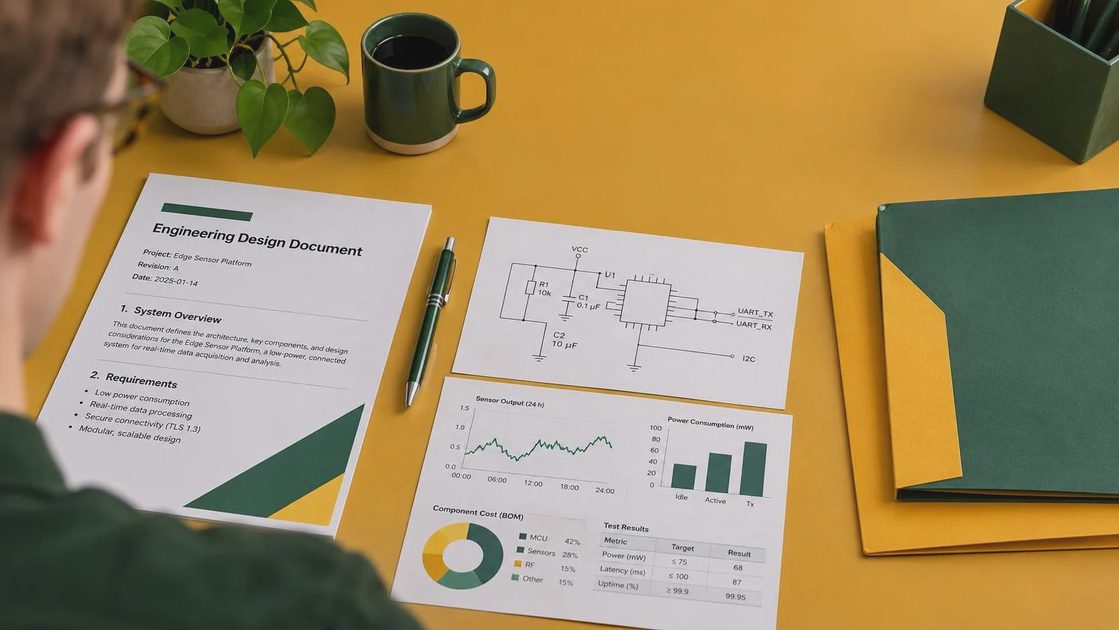
Turn the report into a local test plan
Before buying anything, check what your current machine can already handle. On Linux, inspect memory and GPU availability with commands such as `free -h`, `nvidia-smi`, or the equivalent tools for your hardware. Then choose a model variant and quantization that leave headroom for the operating system, runtime, prompt, and output.
A rough planning rule is simple: larger weights require more memory, while longer context adds another substantial allocation. A quantized model can make local inference practical, but quantization can change accuracy on delicate tasks. Start with a format supported by your runtime instead of selecting a file only because its size looks attractive.
For a first experiment, use one runtime and keep the configuration boring. Ollama is convenient for a quick local proof of concept. llama.cpp gives you more direct control over files and settings. vLLM is usually better suited to a GPU server or an API serving multiple requests. These tools solve different problems; faster tokens per second is not automatically better if setup and debugging consume your week.
Run the same ten to twenty prompts across two candidate models. Save the full prompt, response, latency, peak memory, and failure notes. Include easy, normal, and deliberately difficult examples. This small test will tell you more about fit than a long list of disconnected leaderboard scores.
Evaluate the capabilities that affect real applications
The qwen3 technical report may emphasize reasoning or general benchmark performance, but production evaluation should be task-specific. For structured output, measure valid JSON percentage, required-field accuracy, and behavior when information is missing. For RAG, test whether the model cites retrieved passages accurately instead of merely producing fluent answers. For coding, use executable tests and inspect unsafe edits, not just natural-language explanations.
Latency deserves separate treatment. Record time to first token and total completion time. A model that generates quickly after a long startup may be fine for a batch job but frustrating in an interactive tool. Test short and long contexts because memory pressure and response speed can change dramatically.
Also test failure recovery. Give the model an incomplete document, a conflicting instruction, a tool error, and an empty search result. A useful local model should state uncertainty, request missing information, or retry with a corrected action. Confident nonsense is often more expensive than a slow answer.
Hardware and cost decisions
The qwen3 technical report cannot tell you whether local deployment is cheaper for your workload. Calculate the complete cost: hardware purchase, electricity, storage, cooling, setup time, upgrades, and your own maintenance. A desktop GPU that costs several hundred dollars can make sense for daily private use, while a cloud GPU is often better for a weekend experiment or occasional batch job.
Compare that with a hosted API using your expected monthly token volume. Include privacy requirements and network dependence. Local inference keeps prompts on your machine when configured correctly, but it also makes you responsible for access controls, updates, backups, and monitoring. A small team may prefer a managed endpoint even when local inference is technically possible.
Before spending money, try a smaller model or a shorter context. If the smaller system handles classification, extraction, or drafting accurately enough, the larger option may add cost without adding useful quality. Make it run. Make it useful.

Common mistakes when applying the report
The first mistake is treating benchmark rankings as a deployment recommendation. Rankings hide prompt templates, hardware, precision, and task differences. The second is ignoring quantization. A model that fits in VRAM may still produce weaker answers on code repair or exact extraction after aggressive compression.
The third mistake is testing only friendly prompts. Keep a failure set containing ambiguous requests, long documents, malformed JSON, irrelevant retrieved text, and instructions that conflict with your application policy. Run that set after every runtime, model, or prompt change.
Another mistake is changing several variables at once. If you switch model, quantization, context length, and sampling settings together, you will not know what caused the result. Change one variable, record it, and retain the previous configuration so you can roll back.
A practical conclusion
The qwen3 technical report is most valuable when it changes what you test, not when it replaces testing. Use it to identify model variants, understand evaluation terminology, and choose sensible experiments. Then measure your own prompts on your own hardware with saved configurations and clear failure criteria.
For a solo developer, the best path is usually a small local proof of concept: one model, one runtime, a compact evaluation set, and a written record of memory use and output quality. Move to a larger model or hosted service only when the smaller setup fails a requirement that matters. The shorter answer is yes, the report can guide a serious Qwen3 evaluation. The useful answer depends on your task, budget, privacy needs, and tolerance for maintenance.




No comments yet — be the first to share a thought.