
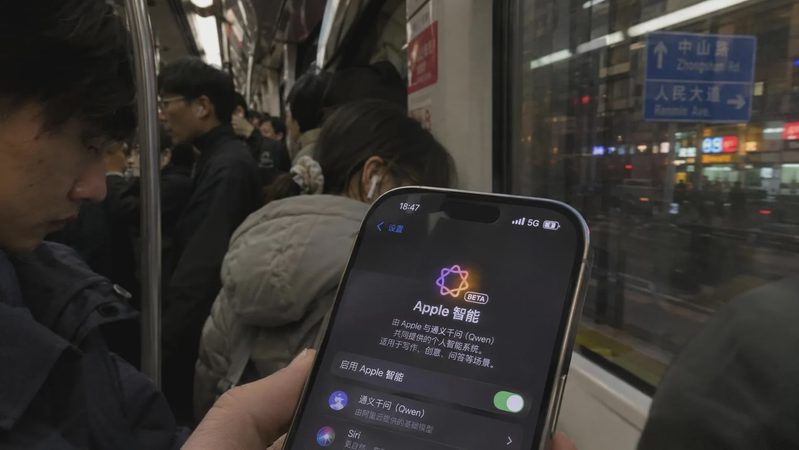
The first Apple Intelligence features for mainland China are now available in the iOS 27.3 developer beta and are scheduled to ship publicly with iOS 27.3 in December. This is not the full global Siri AI experience. It is a carefully scoped first wave built around Apple’s own generative models for most on-device work, with Alibaba’s Qwen available for selected knowledge, generation, and understanding tasks.
This article focuses on what those features actually feel like in ordinary daily use. It expands on the overview in Apple Intelligence Finally Reaches China — With Qwen as the Local Partner and sticks to the confirmed feature set reported from Apple’s China announcement and subsequent beta coverage.

The Core Set That Ships First
Apple has listed roughly eighteen features in the initial release. The ones that matter most for everyday phone use fall into a few practical groups.
Photos and Visual Tools
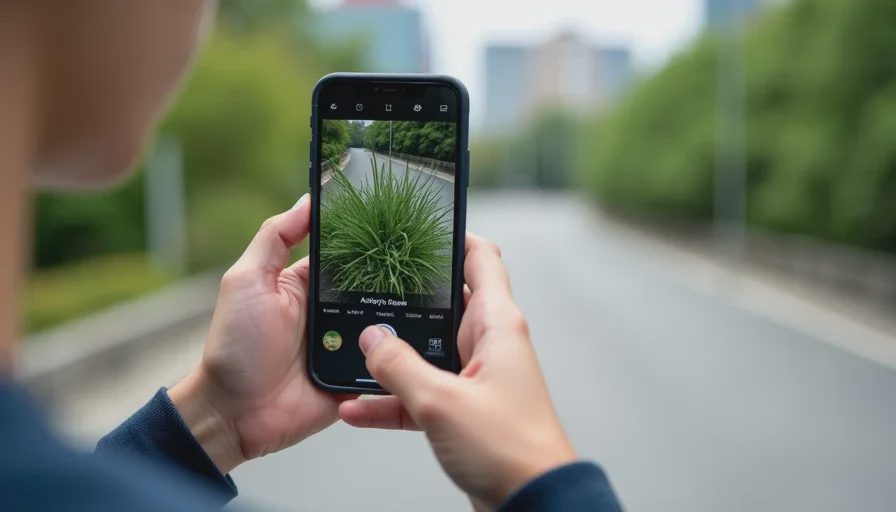
Clean Up lets you remove unwanted objects from photos. Natural-language search finds pictures and videos by description rather than by date or album. Memory movies can be created from a simple prompt. Visual Intelligence works through the camera to identify objects and places; selected requests can be routed to Qwen via “Ask Qwen.”
These tools are immediately useful. Clean Up is the kind of feature people try once and then keep using. Natural-language photo search reduces the friction of finding that one screenshot or trip photo without scrolling. The Qwen option in Visual Intelligence adds a knowledge layer when the on-device model needs broader context, but it remains an explicit hand-off the user approves.
Writing and Communication
Writing Tools handle proofreading, rewriting, and summarisation across the system. A “Compose with Qwen” option generates original text from a prompt. Smart Reply appears in Mail and Messages. Priority Mail and email summaries surface important messages. Notification summaries and Priority Notifications reduce lock-screen noise, and a Reduce Interruptions Focus mode is included.
In daily practice these are the highest-frequency tools. Summarising a long email thread or drafting a reply with one tap is the kind of friction reduction that changes how people handle inbox volume. Compose with Qwen is the clear extension point for longer or more open-ended generation; the base Writing Tools stay on Apple’s models.
Translation and Audio
Live Translation works in Messages, FaceTime, and the Phone app, and face-to-face through supported AirPods (AirPods 4 with ANC, AirPods Pro 2 and later, and newer models on current firmware). Audio transcription summaries appear in Notes, and call transcripts can be summarised.
For anyone who regularly switches between languages or records meetings, these are among the most concrete daily wins. The translation quality and AirPods integration will determine how often the feature is actually used versus left as a novelty.
Siri Improvements (Without Full Siri AI)
Type to Siri is available, along with more natural language handling and the ability to retain context across follow-up questions in a conversation. Certain requests can be handed to Qwen for broader knowledge or document/photo understanding.
This is incremental Siri improvement, not the rebuilt multi-step, onscreen-aware Siri AI that shipped elsewhere. Context retention and typed input make short interactions smoother. The Qwen path is available for specific knowledge-heavy or document-related queries, again under user control.
What Is Deliberately Missing
Full Siri AI is not part of this first wave. Image Playground is also absent from the confirmed list in multiple reports. The China release prioritises the more contained, earlier-generation Apple Intelligence capabilities that could clear regulatory requirements with the Qwen partnership in place.
This is an important practical distinction. Users expecting the full personal-context, multi-app action, and dedicated conversation experience will not find it here yet. The first wave is useful on its own terms; it is not a complete substitute for the global Siri AI stack.
Device, Language, and Region Constraints
The initial rollout is limited to eligible iPhones: iPhone 15 Pro and Pro Max, iPhone 16 and later, iPhone Air, and iPhone Duo. Both Siri and the device language need to be set to English or Simplified Chinese. The Apple Account region must align with China for the features to appear.
iPad, Mac, and Vision Pro support is expected only after additional approvals. In practice this means the first-wave experience is currently an iPhone-only phenomenon for most users in mainland China.
Daily-Use Reality Check
Several patterns emerge once the features are used side by side.
Photos tools and Writing Tools deliver the most consistent value with the least friction. Clean Up, natural-language search, email summaries, and Smart Reply require almost no new habits. They simply improve existing workflows.
Live Translation and call/Notes transcription are high-value for specific users (frequent cross-language communication or meeting notes) and lower priority for others. Quality and AirPods compatibility will decide long-term adoption.
The Qwen hand-off points (Compose with Qwen, Ask Qwen in Visual Intelligence, selected Siri document/photo questions) are useful when the request exceeds pure on-device scope, but they introduce an explicit consent step. That step is a privacy control and a minor interaction cost. For short, routine tasks the system stays on Apple’s models; for open generation or broader knowledge the user chooses to involve Qwen.
Siri improvements without full Siri AI feel like a modest upgrade rather than a new assistant. Type to Siri and basic context retention help, but multi-step app actions and deep personal-context understanding remain outside this release.
Practical Advice for Early Users
Start with Writing Tools and Photos Clean Up/search. These are the lowest-friction, highest-frequency wins.
Test Live Translation in the environments you actually use (Messages, calls, face-to-face with supported AirPods). Quality and latency matter more than the feature list.
Treat the Qwen options as deliberate extensions. Approve them when the request needs broader knowledge or original generation; otherwise stay on the Apple-model path.
Confirm your device model, language settings, and Apple Account region before expecting the features to appear.
Do not assume feature parity with global Siri AI. The first wave is useful and incomplete by design.
Bottom Line
The China first-wave set is a practical, constrained package: strong on Photos tools, Writing Tools, translation, summaries, and selective Qwen-assisted generation and understanding. It deliberately stops short of the full Siri AI experience available elsewhere.
For daily use the most reliable value comes from the features that require the least new behaviour—Clean Up, natural-language photo search, email and notification summaries, Smart Reply, and basic Writing Tools. The Qwen hand-off adds capability for specific tasks under clear user control. Everything else is incremental improvement or still pending later approvals and releases.
Test the high-frequency tools first. Measure the actual friction reduction in your own inbox, photo library, and conversations. The feature list is confirmed; the daily usefulness is what you observe on the device.


No comments yet — be the first to share a thought.