If you are searching for the newest qwen models that can run locally, the short answer is Qwen3. The useful answer depends on your GPU memory, whether you need reasoning or coding, and how much setup work you are willing to tolerate. Qwen3 includes dense models from 0.6B to 32B parameters and mixture-of-experts models including Qwen3-30B-A3B and Qwen3-235B-A22B. Several are realistic on a laptop or a single consumer GPU, while the largest versions belong in a serious workstation or multi-GPU server.
Before downloading anything, check your hardware. A 4-bit model commonly needs roughly half a gigabyte for a 0.6B model, 3 GB for 4B, 6 GB for 8B, 10 GB for 14B, and 20 GB or more for 32B after allowing space for runtime overhead and the context window. These are planning estimates, not guaranteed measurements. Longer prompts, larger KV caches, and batching increase memory use.
The Qwen3 models worth considering first
The most approachable option is Qwen3-0.6B. It can run on a CPU, Raspberry Pi-class experiment, or modest laptop, but its limited capacity makes it better for classification, short extraction tasks, and simple autocomplete than difficult research or agent workflows. Qwen3-1.7B is a more useful minimum for local experiments, especially when response quality matters more than speed.
Qwen3-4B is the practical starting point for many developers. With a 4-bit GGUF file, it can fit on systems with around 4 to 6 GB of usable memory, depending on context length. It is suitable for small RAG applications, JSON extraction, lightweight coding help, and local chat. Qwen3-8B is the stronger general-purpose choice if your laptop or GPU has 8 to 12 GB available. It usually provides better instruction following without creating the maintenance burden of a large model.
Qwen3-14B is attractive for developers with a 12 to 16 GB GPU, particularly after quantization. It can handle more complex coding, summarization, and document tasks than the smaller models. Qwen3-32B is more capable again, but a 24 GB graphics card is a tight fit once context and runtime memory are included. A 32B model is often more comfortable on 32 GB or more of combined GPU and system memory.

Choosing between dense and mixture-of-experts models
Qwen3-30B-A3B is a mixture-of-experts model. It has approximately 30B total parameters, but only about 3B are active for each token. That design can improve capability per unit of compute, although memory still reflects the total stored weights. Do not assume “3B active” means it fits like a 3B dense model. You still need room for the complete quantized model and runtime overhead.
Qwen3-30B-A3B is interesting for a desktop with substantial RAM, a GPU with roughly 16 to 24 GB of VRAM, or a hybrid CPU-GPU setup. It can be a strong local coding and reasoning model, but offloading too much to the CPU can make interactive use frustrating. If each response takes longer than the task it is supposed to improve, this is probably the wrong setup.
Qwen3-235B-A22B is the flagship-scale option, not a casual laptop download. Even with aggressive quantization, storage, memory bandwidth, and multi-GPU requirements become serious engineering concerns. It may be possible through a server with several GPUs, but “can run” and “runs economically at useful speed” are different claims. For most independent builders, Qwen3-14B or Qwen3-30B-A3B is a more sensible target.
Runtime choices and a clean first test
For the newest qwen models that can run locally, Ollama is the easiest entry point when a compatible model package is available. It handles model storage and exposes a local API, which makes it convenient for a Python prototype. LM Studio offers a graphical interface and is useful for comparing quantized files without writing configuration first. For more control, llama.cpp with GGUF files provides CPU, GPU, and partial offload options. vLLM is better suited to Linux servers, continuous batching, and OpenAI-compatible production endpoints.
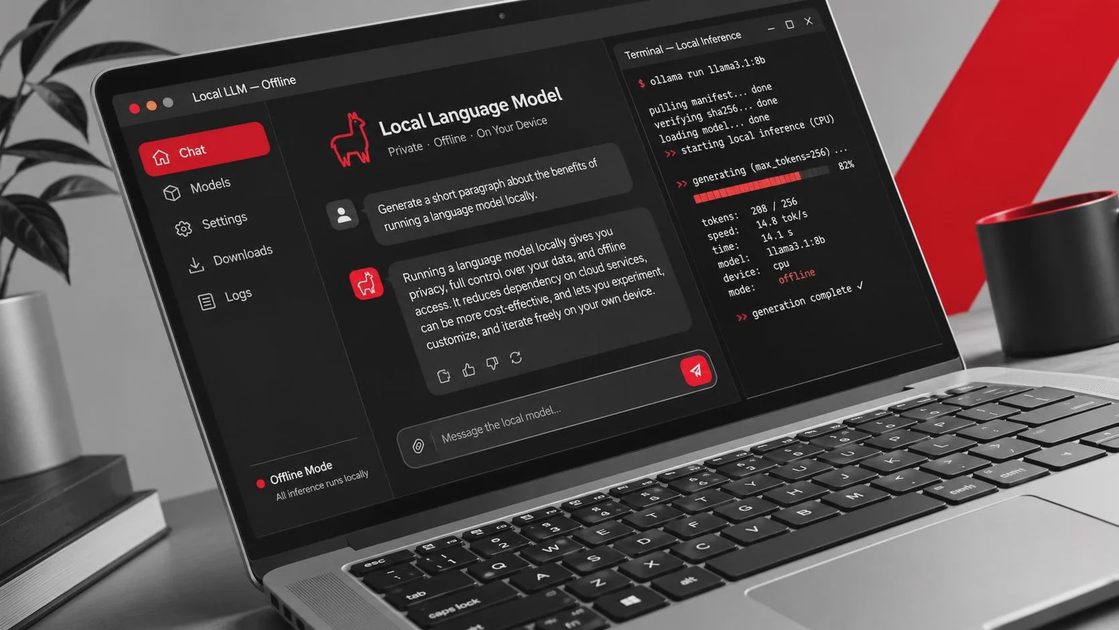
Start with the smallest model that answers your real question. With Ollama installed, a typical test looks like this:
ollama run qwen3:8b
Then ask the same five prompts you use for your application: one extraction request, one coding task, one long-context question, one refusal or boundary test, and one prompt requiring strict JSON. Record latency, output validity, peak memory, and how often you need to retry. A model that produces valid structured output on the first attempt can be more valuable than a larger model that writes impressive but unusable prose.
For llama.cpp, a typical command resembles this:
./llama-cli -m ./Qwen3-8B-Q4_K_M.gguf -ngl 99 -c 8192
The exact filename, quantization, and flags depend on the repository and hardware. Treat commands as starting points, not universal guarantees. Verify the model’s license, tokenizer support, and recommended chat template before putting it behind an application.
What your hardware can realistically handle
A modern laptop with 16 GB of RAM can usually explore 0.6B, 1.7B, and some 4B models comfortably. An Apple Silicon Mac with unified memory can test larger models, but memory is shared with the operating system and applications. Close browser tabs and measure actual pressure instead of relying only on the advertised memory number.
A desktop with an NVIDIA RTX 3060 12GB or RTX 4070 12GB is well matched to Qwen3-4B and Qwen3-8B quantizations. An RTX 3090 or RTX 4090 with 24GB gives you room to test Qwen3-14B and some 30B-A3B configurations, though context length and offload settings still matter. A CPU-only server can run larger models, but token generation may be too slow for chat. It can still work for overnight batch extraction, document indexing, or evaluation jobs.
Storage matters too. Keep at least 20 to 30 GB free for experimentation, because you may download multiple quantizations, tokenizer files, caches, and a second runtime. NVMe storage improves load time; it does not automatically improve tokens per second once the model is in memory.
A practical selection checklist
Choose Qwen3-4B if you want a fast local assistant, basic RAG, or structured extraction on modest hardware. Choose Qwen3-8B when you need a balanced daily driver for coding and document work. Choose Qwen3-14B when quality is more important and you have enough VRAM or unified memory. Test Qwen3-30B-A3B when you accept slower startup, more complicated offloading, and higher memory use in exchange for stronger responses.
For the newest qwen models that can run locally, evaluate the exact quantized file rather than judging only by the parameter label. Q4_K_M, Q5, and Q8 variants trade memory for quality differently, and naming conventions can vary by runtime. Use a fixed prompt set, save outputs, and compare failures. Also test your actual context length; a model that works at 2,000 tokens may become unstable or painfully slow at 32,000.
Final recommendation
The newest qwen models that can run locally are not one model but a useful range of compromises. Start with Qwen3-8B if your machine has around 12 GB of practical memory, Qwen3-4B if you are constrained, and Qwen3-14B if you have a 16 GB-class setup and can tolerate careful quantization. Move to Qwen3-30B-A3B only after a smaller model fails a documented evaluation.
Before buying hardware, make the current machine earn its keep. Download one compatible quantization, run your real prompts, measure memory and latency, and record the failures. The best local model is the one that fits, stays private, and finishes useful work consistently. Make it run. Make it useful.



No comments yet — be the first to share a thought.